# chrome-use
**English** · [简体中文](README.zh.md)
**chrome-use** drives your real, logged-in Chrome from any AI agent — it shares your existing login sessions and is undetectable by anti-bot systems because it *is* your real browser. Part of the `*-use` family ([iphone-use](https://github.com/leeguooooo) drives your real iPhone; chrome-use drives your real Chrome).
Originally based on [vercel-labs/agent-browser](https://github.com/vercel-labs/agent-browser) (Apache-2.0); now a standalone project — the stealth/extension-relay architecture, anti-detection, humanize, multi-agent isolation, and CLI have diverged substantially.
## Give your AI agent the browser you already live in
**No fresh Chrome. No re-login. No "are you a robot?" walls.**
chrome-use points **any** agent — Claude Code, Cursor, Codex, your own scripts — at the **Chrome you're already signed into everything on**. It clicks in *your* window, so you watch it work and grab the wheel the moment it hits a 2FA prompt or captcha. And because it's literally your real browser (over a one-click extension, native messaging — no debug port), sites read it as 100% human: **[CreepJS scores it 0% bot](#anti-detection).**
**Why not just use…**
- **Playwright / Puppeteer / browser-use?** They boot an *empty* browser — so you redo every login, fight every captcha, and still get flagged as automation. We use the session you already have.
- **Claude's Chrome extension?** Great, but it only drives Claude. This drives *any* agent or CLI.
- **A raw `--remote-debugging-port`** (web-access, etc.)? Chrome 136+ pops **"Allow remote debugging?"** on *every* connect. This never does — one-click Store extension, native messaging.
Full feature comparison (the receipts)
| | [Claude in Chrome](https://www.anthropic.com/claude/chrome) | web-access / raw CDP port | Playwright · Puppeteer · browser-use | **chrome-use** |
|---|:---:|:---:|:---:|:---:|
| Works with **any** agent / CLI (not one app) | ❌ Claude only | ✅ | ✅ | ✅ |
| Drives your **real, logged-in** Chrome | ✅ | ✅ | ❌ fresh empty profile | ✅ |
| **No "Allow remote debugging?" popup** | ✅ | ❌ every connect | — (own browser) | ✅ native messaging |
| Real-browser fingerprint (CreepJS ~0%)¹ | ✅ | ✅ | ❌ automation markers / headless | ✅ **verified 0%** |
| **No `Runtime.enable` CDP leak** (rebrowser)² | — | ❌ leaks | ❌ leaks | ✅ **off by default** |
| Many agents on **one** real Chrome, isolated tab groups³ | ❌ single app | ⚠️ shared tabs, no isolation | ❌ separate browsers | ✅ |
| Permissions footprint | 16 incl. `` | full CDP | full control | **7, no ``** |
¹ All three real-Chrome tools score ~0% on CreepJS (it's a real browser); we've measured ours. ² rebrowser's `runtimeEnableLeak` — verified clean on our relay path; Claude in Chrome not independently tested (—). ³ web-access can run parallel sub-agents on one browser, but without per-session isolation; each `--session` here gets its own colored, command-isolated tab group. See [Anti-detection](#anti-detection) for the measured numbers.
## Why chrome-use?
 **Typical browser automation** (Playwright, Puppeteer, or a fresh `--launch`) opens a brand-new browser with an empty profile. You have to log in again, and websites can tell it's automated.
**chrome-use** connects to your existing Chrome. Your cookies, sessions, and browser fingerprint are all real — because it IS your real browser.
| | chrome-use | chrome-use |
|---|---|---|
| Browser | Launches new Chrome | Connects to your Chrome |
| Login state | Empty, need to re-login | Your existing sessions |
| Fingerprint | Automation markers present | Your real fingerprint |
| User collaboration | Separate window | Same window, take over anytime |
| CAPTCHA | Agent stuck | You solve it, agent continues |
## How it works

Your **chrome-use CLI** talks to a tiny **browser extension** over Chrome
**native messaging** — a local inter-process channel, *no network socket, no
token, no remote server*. The extension uses `chrome.debugger` to drive the tabs
you target in **your own, already-logged-in Chrome**, then hands results back to
the CLI. Everything stays on your machine.
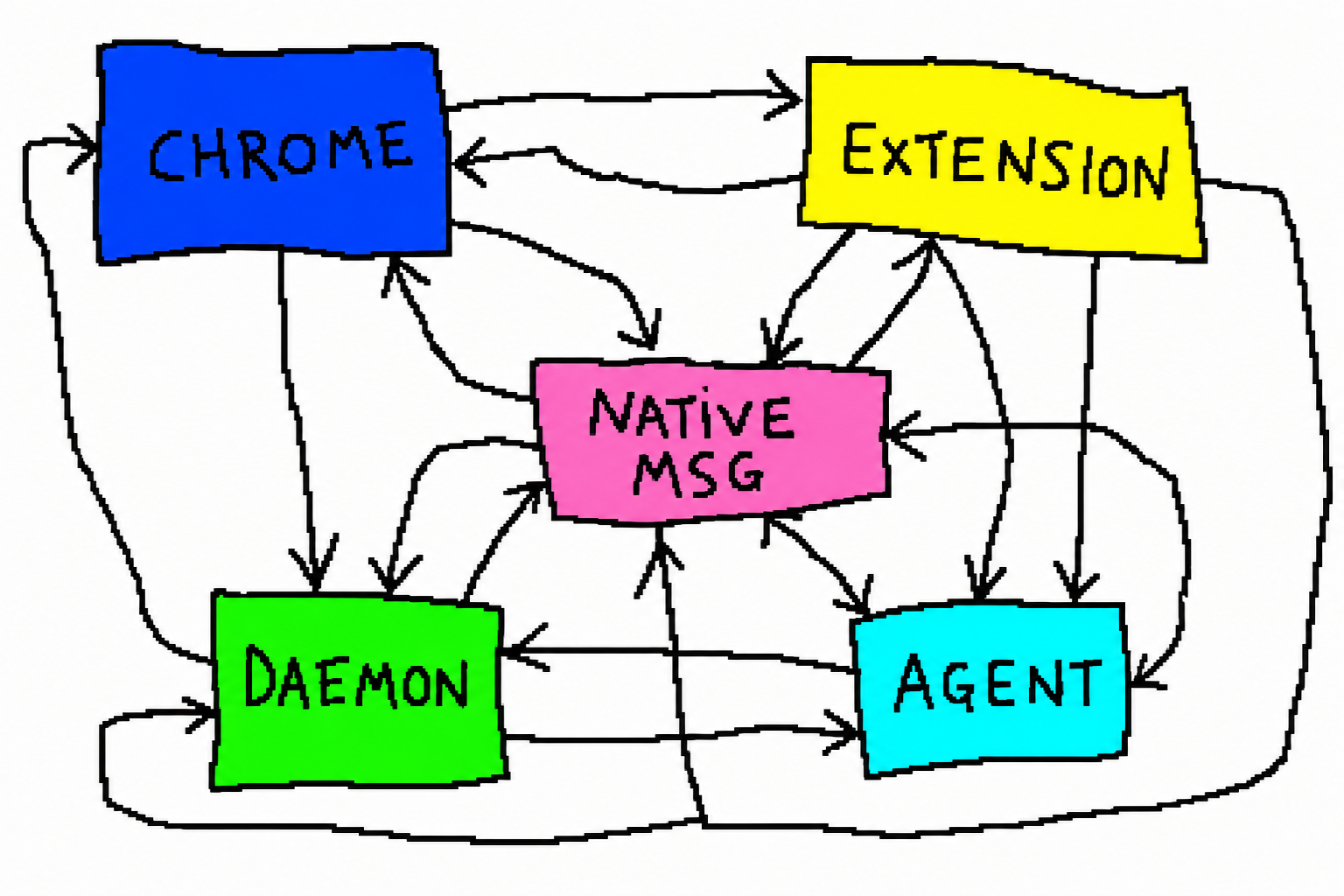
Each `--session` gets its **own colored Chrome tab group**, so multiple agents
can share one real browser concurrently without stepping on each other — or your
own tabs.
## Why the extension (not a raw debug port)
Other local tools drive Chrome over a raw `--remote-debugging-port` (CDP). Since
**Chrome 136**, every such connection pops a blocking **"Allow remote debugging?"**
consent dialog — and the port has to be enabled up front. Our extension uses
native messaging instead: **install once, then zero per-use confirmation.**
| | **chrome-use** (this extension) | web-access (raw CDP port) | Claude in Chrome (chrome.debugger) |
|---|---|---|---|
| Connect method | native messaging — no port, no token | `--remote-debugging-port` | `chrome.debugger` |
| **"Allow remote debugging?" popup** | **never** ✅ | **every connection** 🔴 | no |
| Uses your real login | yes | yes | yes |
| `Runtime.enable` (CDP) leak¹ | **off by default → clean** ✅ | domain enabled | n/a |
| CreepJS stealth score² | **0% stealth · 0% headless** ✅ | real Chrome | real Chrome |
| Per-session tab groups / concurrent agents | **yes** ✅ | no | no |
| Built for the chrome-use CLI | yes | a separate proxy | a single-app assistant |
> ¹ Verified against [rebrowser-bot-detector](https://bot-detector.rebrowser.net/):
> our relay reports `runtimeEnableLeak: 🟢 No leak` and `navigatorWebdriver: 🟢`.
> ² Verified against [CreepJS](https://abrahamjuliot.github.io/creepjs/) on the
> connected real-Chrome path — see [Anti-detection](#anti-detection).
>
> The consent dialog isn't hypothetical: a raw-port tool pops it on **every**
> attach (Chrome 136+ security). The extension path never does.
## Install
```bash
curl -fsSL https://raw.githubusercontent.com/leeguooooo/chrome-use/main/install.sh | sh
```
Downloads the prebuilt binary for your platform from the latest [GitHub Release](https://github.com/leeguooooo/chrome-use/releases) and installs `chrome-use` (+ the `abs` alias). No npm, no tokens.
**Typical browser automation** (Playwright, Puppeteer, or a fresh `--launch`) opens a brand-new browser with an empty profile. You have to log in again, and websites can tell it's automated.
**chrome-use** connects to your existing Chrome. Your cookies, sessions, and browser fingerprint are all real — because it IS your real browser.
| | chrome-use | chrome-use |
|---|---|---|
| Browser | Launches new Chrome | Connects to your Chrome |
| Login state | Empty, need to re-login | Your existing sessions |
| Fingerprint | Automation markers present | Your real fingerprint |
| User collaboration | Separate window | Same window, take over anytime |
| CAPTCHA | Agent stuck | You solve it, agent continues |
## How it works

Your **chrome-use CLI** talks to a tiny **browser extension** over Chrome
**native messaging** — a local inter-process channel, *no network socket, no
token, no remote server*. The extension uses `chrome.debugger` to drive the tabs
you target in **your own, already-logged-in Chrome**, then hands results back to
the CLI. Everything stays on your machine.

Each `--session` gets its **own colored Chrome tab group**, so multiple agents
can share one real browser concurrently without stepping on each other — or your
own tabs.
## Why the extension (not a raw debug port)
Other local tools drive Chrome over a raw `--remote-debugging-port` (CDP). Since
**Chrome 136**, every such connection pops a blocking **"Allow remote debugging?"**
consent dialog — and the port has to be enabled up front. Our extension uses
native messaging instead: **install once, then zero per-use confirmation.**
| | **chrome-use** (this extension) | web-access (raw CDP port) | Claude in Chrome (chrome.debugger) |
|---|---|---|---|
| Connect method | native messaging — no port, no token | `--remote-debugging-port` | `chrome.debugger` |
| **"Allow remote debugging?" popup** | **never** ✅ | **every connection** 🔴 | no |
| Uses your real login | yes | yes | yes |
| `Runtime.enable` (CDP) leak¹ | **off by default → clean** ✅ | domain enabled | n/a |
| CreepJS stealth score² | **0% stealth · 0% headless** ✅ | real Chrome | real Chrome |
| Per-session tab groups / concurrent agents | **yes** ✅ | no | no |
| Built for the chrome-use CLI | yes | a separate proxy | a single-app assistant |
> ¹ Verified against [rebrowser-bot-detector](https://bot-detector.rebrowser.net/):
> our relay reports `runtimeEnableLeak: 🟢 No leak` and `navigatorWebdriver: 🟢`.
> ² Verified against [CreepJS](https://abrahamjuliot.github.io/creepjs/) on the
> connected real-Chrome path — see [Anti-detection](#anti-detection).
>
> The consent dialog isn't hypothetical: a raw-port tool pops it on **every**
> attach (Chrome 136+ security). The extension path never does.
## Install
```bash
curl -fsSL https://raw.githubusercontent.com/leeguooooo/chrome-use/main/install.sh | sh
```
Downloads the prebuilt binary for your platform from the latest [GitHub Release](https://github.com/leeguooooo/chrome-use/releases) and installs `chrome-use` (+ the `abs` alias). No npm, no tokens.
Other ways to install
- **Pin a version:** `AGENT_BROWSER_VERSION=v0.27.0-fork.12 curl -fsSL https://raw.githubusercontent.com/leeguooooo/chrome-use/main/install.sh | sh`
- **Custom location:** `AGENT_BROWSER_BIN_DIR=$HOME/bin curl -fsSL … | sh`
- **Windows:** download `chrome-use-win32-x64.tar.gz` from the [Releases page](https://github.com/leeguooooo/chrome-use/releases) and put `chrome-use.exe` on your PATH.
- **npm (legacy):** `npm install -g chrome-use` — still published, but GitHub Releases is the primary channel now.
### Install the AI agent skills
The repo ships SKILL.md files for Claude Code, Cursor, etc. Pull them into the current project with [skills.sh](https://skills.sh):
```bash
npx skills add leeguooooo/chrome-use
```
This drops `skills/chrome-use` (and the specialized `skill-data/{core,electron,slack,dogfood,agentcore,vercel-sandbox}`) into your project so your AI agent gets the right usage patterns and pre-approved bash permissions for `chrome-use`, `chrome-use`, and `abs`.
## Command names
`chrome-use`, `chrome-use`, and `abs` are **the same binary** —
`abs` is just a short alias. There is no separate "stealth executable"; stealth
is a runtime behavior (see [Anti-detection](#anti-detection) below), applied
automatically based on whether you attach to your real Chrome or `--launch` a
fresh one.
## Setup: connect to your Chrome
**Recommended — the browser extension (one click, no popups).** Install the
[**chrome-use** extension from the Chrome Web Store](https://chromewebstore.google.com/detail/chrome-use/knfcmbamhjmaonkfnjhldjedeobeafmk),
then register the local bridge once:
```bash
chrome-use extension install # register the native-messaging host (one-time)
chrome-use open https://x.com/home
```
`chrome-use open` then drives your real, logged-in Chrome over **native
messaging** — no debug port, no token, and **no "Allow remote debugging?" dialog,
ever**. The extension auto-updates and survives Chrome restarts, so it stays
connected with zero per-use confirmation (ideal for unattended/agent use).
Alternative — raw remote-debugging port (pops a consent dialog)
Without the extension, chrome-use attaches over the Chrome DevTools Protocol,
which Chrome only exposes when **launched with a remote-debugging port** (a
startup flag — the `chrome://inspect` toggle alone is not enough):
```bash
# macOS
open -a "Google Chrome" --args --remote-debugging-port=9222
# Linux
google-chrome --remote-debugging-port=9222
# Windows: add --remote-debugging-port=9222 to your Chrome shortcut's target
```
Then `chrome-use open ` auto-discovers the port. On first attach,
**Chrome 136+ shows an "Allow remote debugging?" dialog** — click Allow once (it
persists for that Chrome session). The extension above avoids this entirely.
**No setup / don't want to touch your real Chrome?** Use
`chrome-use --launch open ` to spawn a fresh isolated stealth browser
(full anti-detection patches applied; see below). This always works without any
port setup and is what CI uses automatically.
## Usage
```bash
# Connect to your Chrome and navigate
chrome-use open https://example.com
# Everything works through your logged-in browser
chrome-use click "Post"
chrome-use click 449 320 # …or click a raw viewport coordinate
chrome-use fill "Title" "Hello World"
chrome-use screenshot ./page.png
```
The agent operates in your Chrome — you'll see tabs opening, pages loading, clicks happening in real time. You can take over at any point (e.g. solve a CAPTCHA), then let the agent continue.
### Standalone mode (`--launch`)
Spawn a separate browser instead of attaching to your running Chrome:
```bash
# Throwaway: fresh, EMPTY profile — no cookies, no login (good for CI/testing)
chrome-use --launch open https://example.com
# Keep your login: launch with your real Chrome profile (cookies/sessions intact)
chrome-use --launch --profile auto open https://x.com/home
# or name it explicitly: --profile Default / --profile "Profile 1"
```
> ⚠️ Plain `--launch` (no `--profile`) uses a **temporary empty profile** — you will
> NOT be logged into anything. For logged-in sites use `--profile auto` (picks the
> Chrome profile you used most recently) or `--profile `. chrome-use prints
> a warning when you `--launch` without a profile.
In CI environments, standalone mode is used automatically.
## Anti-detection
 When connected to your real Chrome, we inject **zero** JavaScript patches. Your browser's fingerprint is completely genuine. The guiding rule is **native CDP/Chrome overrides over JS lies** — a re-defined getter is itself detectable; a native override isn't.
- `navigator.webdriver = false` via `Emulation.setAutomationOverride` (native, undetectable by CreepJS-style lie tests).
- **`Runtime.enable` is left OFF by default.** A live `Runtime` domain is a detectable CDP signal (the patchright/rebrowser "runtime leak") — even when attached to your real Chrome. We only enable it when you opt into console/error capture (see below). `click`, `fill`, `eval`, etc. work without it.
**Test results (connected to real Chrome):**
| Test site | Result |
|---|---|
| [CreepJS](https://abrahamjuliot.github.io/creepjs/) | **0% stealth · 0% headless** (no override traces at all) |
| [bot.incolumitas.com](https://bot.incolumitas.com/) | all checks OK — `overflowTest`, `overrideTest`, `puppeteerExtraStealthUsed`, worker consistency |
| [bot.sannysoft.com](https://bot.sannysoft.com) | all green |
| [BrowserScan](https://www.browserscan.net/bot-detection) | Webdriver · User-Agent · CDP all clean |
| [Cloudflare Turnstile](https://nowsecure.nl) | passed |
`0% stealth` on CreepJS is the key number: because the connect path patches **nothing**, there is no override for a lie-detector to catch. (Dashboards that read `navigator.languages` order or IP geolocation may show a soft "navigator"/"location" flag — that tracks *your real Chrome's* language list and network, not an automation tell.)
When using `--launch` mode (standalone browser), a full suite of stealth patches is applied instead, and it passes the suite above — with one caveat: CreepJS reports **~20% stealth** because the srcdoc-iframe `contentWindow` patch trips its `hasIframeProxy` probe (the proxy that hides automation is itself a tell). Everything else is clean (`0% headless`, sannysoft/browserscan green, Cloudflare passed). Set **`AGENT_BROWSER_DISABLE_IFRAME_PROXY=1`** to drop that patch for a clean **0% stealth** (trades the niche srcdoc-iframe masking). The **extension-connect path** (your real Chrome) injects zero JS and is unaffected — it's the genuine 0% path.
### Human-like input (behavioural stealth)
Fingerprint stealth isn't the whole story — the strongest anti-bot vendors (Akamai, PerimeterX, DataDome) also score *behaviour*. A click that teleports the cursor to an element's exact centre with no approach path and zero press delay is a tell, **even though our CDP events are `isTrusted`**.
With humanize on, the cursor moves like a hand: clicks follow a curved, decelerating Bézier path and land on a jittered point *inside* the element (never the dead centre); typing uses variable inter-keystroke timing; scrolling eases in segments; drags follow a curve. It's **adaptive** — every navigation is probed for known anti-bot vendors (cookies / scripts / globals) and a guarded page auto-escalates to full human motion, while ordinary sites stay instant (zero overhead).
What the page's own `mousemove` stream sees (this *is* what a behavioural detector analyses):
| | trajectory |
|---|---|
| **off** (default) | straight lines · dead-centre · instant |
| **human** | curved trails · slow-in/slow-out · off-centre landings |
Control with `--humanize off\|fast\|human` or `AGENT_BROWSER_HUMANIZE`. Default `off`; the adaptive detector escalates per page.
### Silent operation
Driving your real Chrome should never interrupt your work. The agent operates **entirely in the background**: new tabs open un-focused (in their own colored per-session tab group), the agent **never force-fronts a tab**, and `Emulation.setFocusEmulationEnabled` keeps each agent tab rendering and reporting `document.hasFocus()` / `visibilityState: 'visible'`. So screenshots still work, pages aren't render-throttled, and "the tab was hidden the whole session" never becomes its own bot tell. You keep working in your active tab; the agent works alongside you, silently. (Surfacing a tab stays available as an explicit command.)
### Verify it yourself
Don't take our word for it — point your connected Chrome at the toughest public detectors and compare:
- **[CreepJS](https://abrahamjuliot.github.io/creepjs/)** — the most thorough fingerprint / lie detector
- **[bot.incolumitas.com](https://bot.incolumitas.com/)** — behavioral + fingerprint scoring with a public methodology
- **[BrowserScan](https://www.browserscan.net/bot-detection)** — Webdriver / User-Agent / CDP / Navigator
- **[bot.sannysoft.com](https://bot.sannysoft.com)** — the classic automation-marker checklist
- **[pixelscan.net](https://pixelscan.net/)** · **[iphey.com](https://iphey.com/)** — consistency & identity
We deliberately **don't ship our own bot detector** — the strongest, most honest benchmark is the market's best detectors run against your real browser.
### Tuning knobs (environment variables)
| Variable | Default | Effect |
|---|---|---|
| `AGENT_BROWSER_CAPTURE_CONSOLE` | off | Enable `Runtime` domain so `console` / `errors` capture page output. Off keeps the stealthiest profile. |
| `AGENT_BROWSER_HUMANIZE` | off | Human-like input motion: `off` (instant), `fast` (light eased trajectory), `human` (full curved trajectory + landing jitter + typing cadence + eased scroll/drag). Also `--humanize`. Default `off`; the adaptive detector auto-escalates pages guarded by Akamai/PerimeterX/DataDome to `human`. |
| `AGENT_BROWSER_TIMEZONE` | unset | `--launch` only. An IANA id (e.g. `Asia/Tokyo`) sets the timezone natively (Intl + Date follow, no JS lie) to match a proxy; `auto` derives one from the locale. |
| `AGENT_BROWSER_BLOCK_WEBRTC` | auto | `--launch` only. Auto-forces WebRTC through the proxy when one is set (no real-IP leak). `1` hides the local IP without a proxy; `0` opts out. |
| `AGENT_BROWSER_HIDE_CANVAS` | off | `--launch` only. Adds session-stable canvas/audio fingerprint noise. Off by default (noise is itself a "lie"). |
| `AGENT_BROWSER_ADAPTIVE_REF` | on | When a saved `@ref` moves and the role/name re-query fails, relocate it by fingerprint similarity (high score + clear margin required, else it fails loudly). `0` disables. |
| `AGENT_BROWSER_CLICK_MODE` | _(auto)_ | Click strategy. Default scrolls the target into view, dispatches a coordinate click, and falls back to a DOM `.click()` if a floating layer occludes the point. `dom` always uses `.click()` (best for autocomplete/menu items that close on blur); `coord` is strict coordinate-only (hard-fail on occlusion). |
## What makes chrome-use different
- **Auto-connect is default** — `chrome-use open ` drives your existing Chrome instead of launching a new one
- **Extension-relay transport** — a one-click Chrome Web Store extension + native messaging, so there's no debug port and no "Allow remote debugging?" dialog
- **CDP-native stealth** — anti-detection via Chrome/CDP overrides rather than JS patches; zero patches when attached to your real Chrome, full patches only for `--launch`
- **Humanize** — human-like cursor trajectories + adaptive anti-bot handling
- **Multi-agent isolation** — concurrent agents share one real Chrome via per-session tab groups, no cross-talk
- **Silent operation** — runs in the background; never steals your foreground tab
Originally based on [vercel-labs/agent-browser](https://github.com/vercel-labs/agent-browser) (Apache-2.0); the projects have since diverged substantially.
## License
Apache-2.0
When connected to your real Chrome, we inject **zero** JavaScript patches. Your browser's fingerprint is completely genuine. The guiding rule is **native CDP/Chrome overrides over JS lies** — a re-defined getter is itself detectable; a native override isn't.
- `navigator.webdriver = false` via `Emulation.setAutomationOverride` (native, undetectable by CreepJS-style lie tests).
- **`Runtime.enable` is left OFF by default.** A live `Runtime` domain is a detectable CDP signal (the patchright/rebrowser "runtime leak") — even when attached to your real Chrome. We only enable it when you opt into console/error capture (see below). `click`, `fill`, `eval`, etc. work without it.
**Test results (connected to real Chrome):**
| Test site | Result |
|---|---|
| [CreepJS](https://abrahamjuliot.github.io/creepjs/) | **0% stealth · 0% headless** (no override traces at all) |
| [bot.incolumitas.com](https://bot.incolumitas.com/) | all checks OK — `overflowTest`, `overrideTest`, `puppeteerExtraStealthUsed`, worker consistency |
| [bot.sannysoft.com](https://bot.sannysoft.com) | all green |
| [BrowserScan](https://www.browserscan.net/bot-detection) | Webdriver · User-Agent · CDP all clean |
| [Cloudflare Turnstile](https://nowsecure.nl) | passed |
`0% stealth` on CreepJS is the key number: because the connect path patches **nothing**, there is no override for a lie-detector to catch. (Dashboards that read `navigator.languages` order or IP geolocation may show a soft "navigator"/"location" flag — that tracks *your real Chrome's* language list and network, not an automation tell.)
When using `--launch` mode (standalone browser), a full suite of stealth patches is applied instead, and it passes the suite above — with one caveat: CreepJS reports **~20% stealth** because the srcdoc-iframe `contentWindow` patch trips its `hasIframeProxy` probe (the proxy that hides automation is itself a tell). Everything else is clean (`0% headless`, sannysoft/browserscan green, Cloudflare passed). Set **`AGENT_BROWSER_DISABLE_IFRAME_PROXY=1`** to drop that patch for a clean **0% stealth** (trades the niche srcdoc-iframe masking). The **extension-connect path** (your real Chrome) injects zero JS and is unaffected — it's the genuine 0% path.
### Human-like input (behavioural stealth)
Fingerprint stealth isn't the whole story — the strongest anti-bot vendors (Akamai, PerimeterX, DataDome) also score *behaviour*. A click that teleports the cursor to an element's exact centre with no approach path and zero press delay is a tell, **even though our CDP events are `isTrusted`**.
With humanize on, the cursor moves like a hand: clicks follow a curved, decelerating Bézier path and land on a jittered point *inside* the element (never the dead centre); typing uses variable inter-keystroke timing; scrolling eases in segments; drags follow a curve. It's **adaptive** — every navigation is probed for known anti-bot vendors (cookies / scripts / globals) and a guarded page auto-escalates to full human motion, while ordinary sites stay instant (zero overhead).
What the page's own `mousemove` stream sees (this *is* what a behavioural detector analyses):
| | trajectory |
|---|---|
| **off** (default) | straight lines · dead-centre · instant |
| **human** | curved trails · slow-in/slow-out · off-centre landings |
Control with `--humanize off\|fast\|human` or `AGENT_BROWSER_HUMANIZE`. Default `off`; the adaptive detector escalates per page.
### Silent operation
Driving your real Chrome should never interrupt your work. The agent operates **entirely in the background**: new tabs open un-focused (in their own colored per-session tab group), the agent **never force-fronts a tab**, and `Emulation.setFocusEmulationEnabled` keeps each agent tab rendering and reporting `document.hasFocus()` / `visibilityState: 'visible'`. So screenshots still work, pages aren't render-throttled, and "the tab was hidden the whole session" never becomes its own bot tell. You keep working in your active tab; the agent works alongside you, silently. (Surfacing a tab stays available as an explicit command.)
### Verify it yourself
Don't take our word for it — point your connected Chrome at the toughest public detectors and compare:
- **[CreepJS](https://abrahamjuliot.github.io/creepjs/)** — the most thorough fingerprint / lie detector
- **[bot.incolumitas.com](https://bot.incolumitas.com/)** — behavioral + fingerprint scoring with a public methodology
- **[BrowserScan](https://www.browserscan.net/bot-detection)** — Webdriver / User-Agent / CDP / Navigator
- **[bot.sannysoft.com](https://bot.sannysoft.com)** — the classic automation-marker checklist
- **[pixelscan.net](https://pixelscan.net/)** · **[iphey.com](https://iphey.com/)** — consistency & identity
We deliberately **don't ship our own bot detector** — the strongest, most honest benchmark is the market's best detectors run against your real browser.
### Tuning knobs (environment variables)
| Variable | Default | Effect |
|---|---|---|
| `AGENT_BROWSER_CAPTURE_CONSOLE` | off | Enable `Runtime` domain so `console` / `errors` capture page output. Off keeps the stealthiest profile. |
| `AGENT_BROWSER_HUMANIZE` | off | Human-like input motion: `off` (instant), `fast` (light eased trajectory), `human` (full curved trajectory + landing jitter + typing cadence + eased scroll/drag). Also `--humanize`. Default `off`; the adaptive detector auto-escalates pages guarded by Akamai/PerimeterX/DataDome to `human`. |
| `AGENT_BROWSER_TIMEZONE` | unset | `--launch` only. An IANA id (e.g. `Asia/Tokyo`) sets the timezone natively (Intl + Date follow, no JS lie) to match a proxy; `auto` derives one from the locale. |
| `AGENT_BROWSER_BLOCK_WEBRTC` | auto | `--launch` only. Auto-forces WebRTC through the proxy when one is set (no real-IP leak). `1` hides the local IP without a proxy; `0` opts out. |
| `AGENT_BROWSER_HIDE_CANVAS` | off | `--launch` only. Adds session-stable canvas/audio fingerprint noise. Off by default (noise is itself a "lie"). |
| `AGENT_BROWSER_ADAPTIVE_REF` | on | When a saved `@ref` moves and the role/name re-query fails, relocate it by fingerprint similarity (high score + clear margin required, else it fails loudly). `0` disables. |
| `AGENT_BROWSER_CLICK_MODE` | _(auto)_ | Click strategy. Default scrolls the target into view, dispatches a coordinate click, and falls back to a DOM `.click()` if a floating layer occludes the point. `dom` always uses `.click()` (best for autocomplete/menu items that close on blur); `coord` is strict coordinate-only (hard-fail on occlusion). |
## What makes chrome-use different
- **Auto-connect is default** — `chrome-use open ` drives your existing Chrome instead of launching a new one
- **Extension-relay transport** — a one-click Chrome Web Store extension + native messaging, so there's no debug port and no "Allow remote debugging?" dialog
- **CDP-native stealth** — anti-detection via Chrome/CDP overrides rather than JS patches; zero patches when attached to your real Chrome, full patches only for `--launch`
- **Humanize** — human-like cursor trajectories + adaptive anti-bot handling
- **Multi-agent isolation** — concurrent agents share one real Chrome via per-session tab groups, no cross-talk
- **Silent operation** — runs in the background; never steals your foreground tab
Originally based on [vercel-labs/agent-browser](https://github.com/vercel-labs/agent-browser) (Apache-2.0); the projects have since diverged substantially.
## License
Apache-2.0